1
Install from the Shopify App Store
Search for Restock & PO Manager, click Install, and approve the requested inventory permissions. Open the app from your Shopify admin sidebar.

Shopify inventory & purchase orders
Restock & PO Manager uses sales velocity, vendor lead times, and safety stock to tell you exactly when and how much to reorder — so you never miss a sale because of a stockout.
Live demo store
Use this URL for App Store listing · Demo: exto-nt8nchar
Free Starter plan · No credit card required
A focused dashboard inside Shopify admin — no spreadsheets, no guesswork.
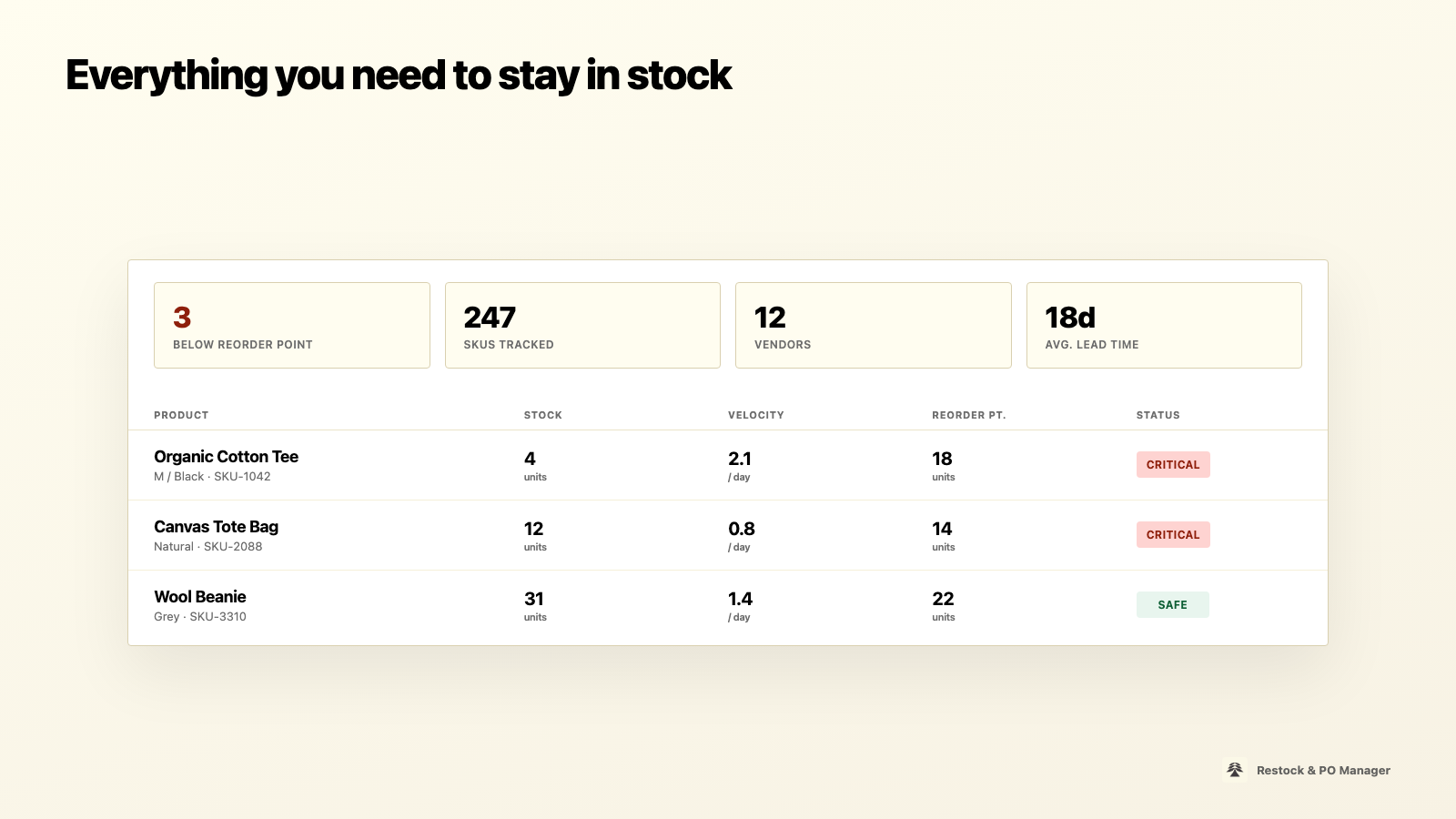
Track SKUs, velocity, reorder points, and critical status in one dashboard.
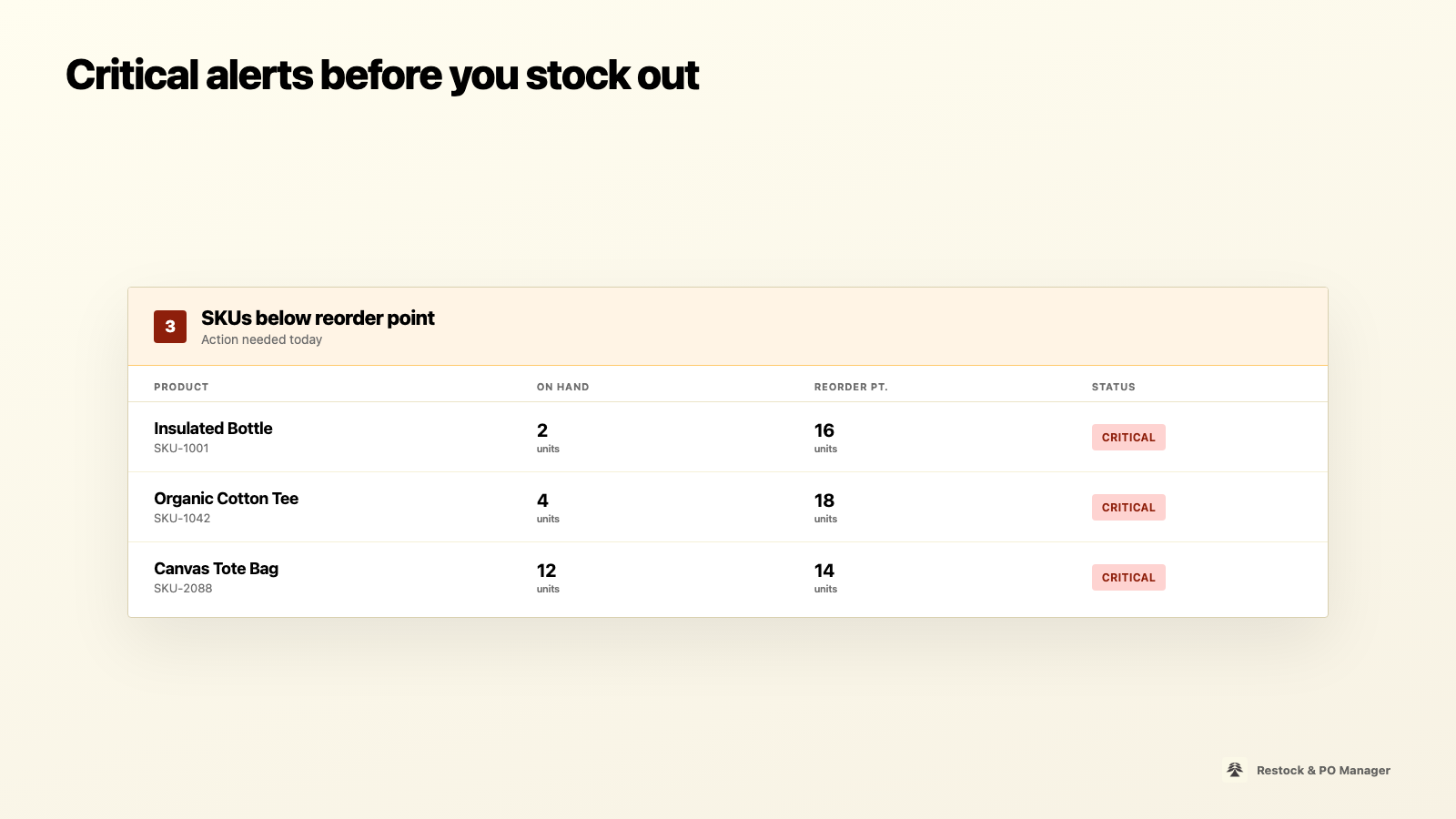
See which products dropped below their reorder point and need action today.
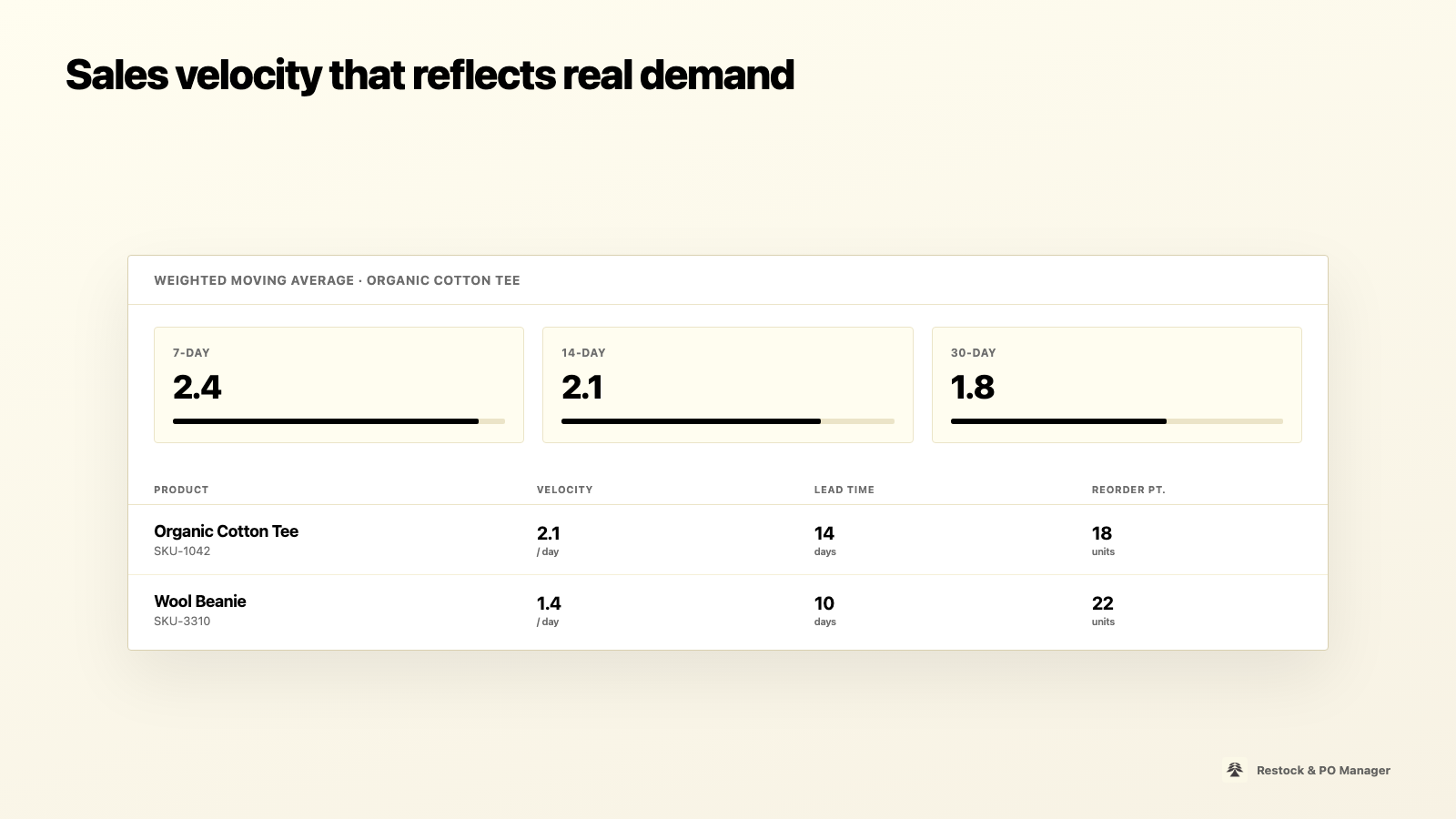
Weighted moving averages across 7, 14, and 30 days drive accurate reorder points.
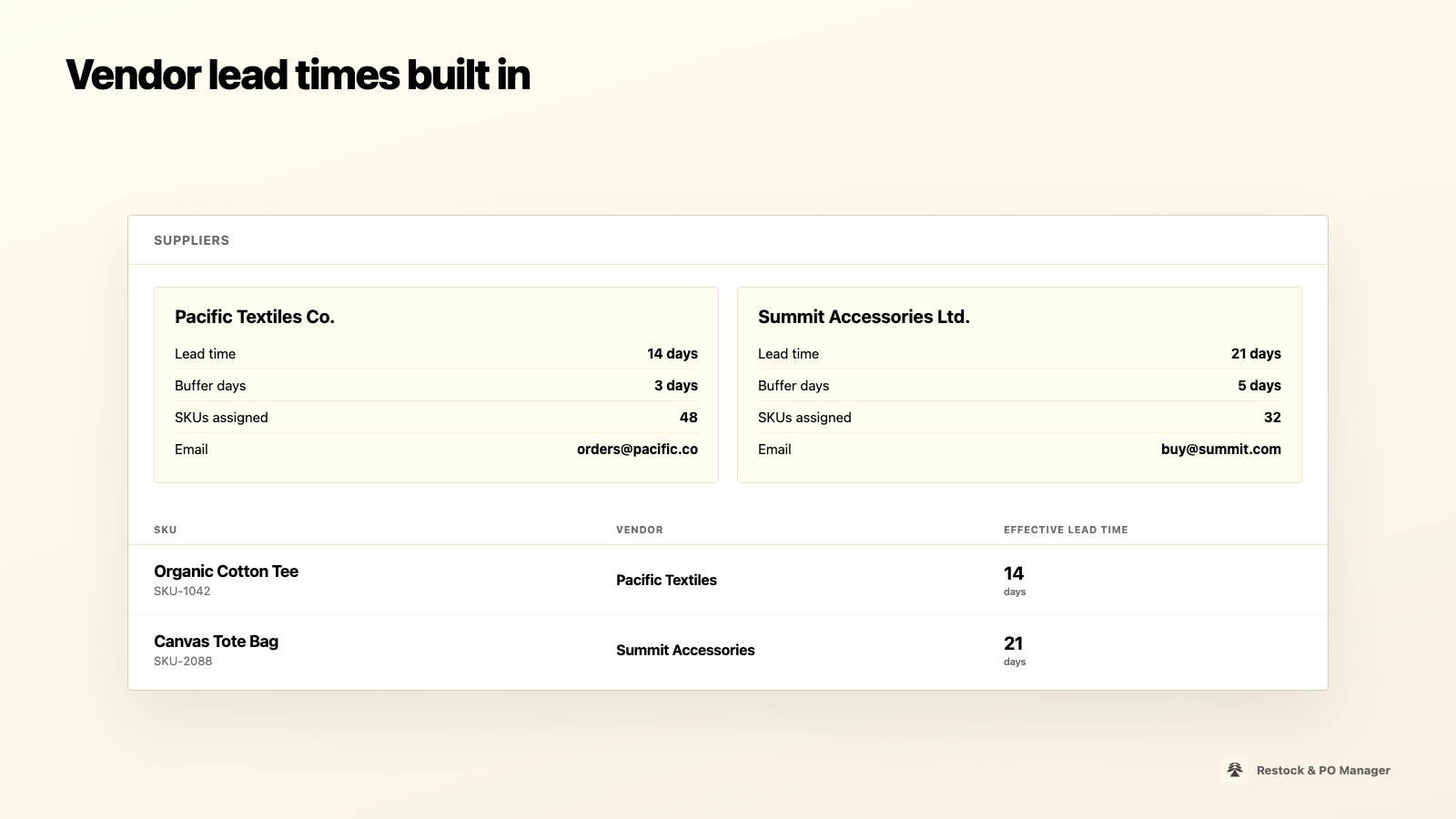
Assign suppliers, set lead times and buffer days, and override per SKU when needed.
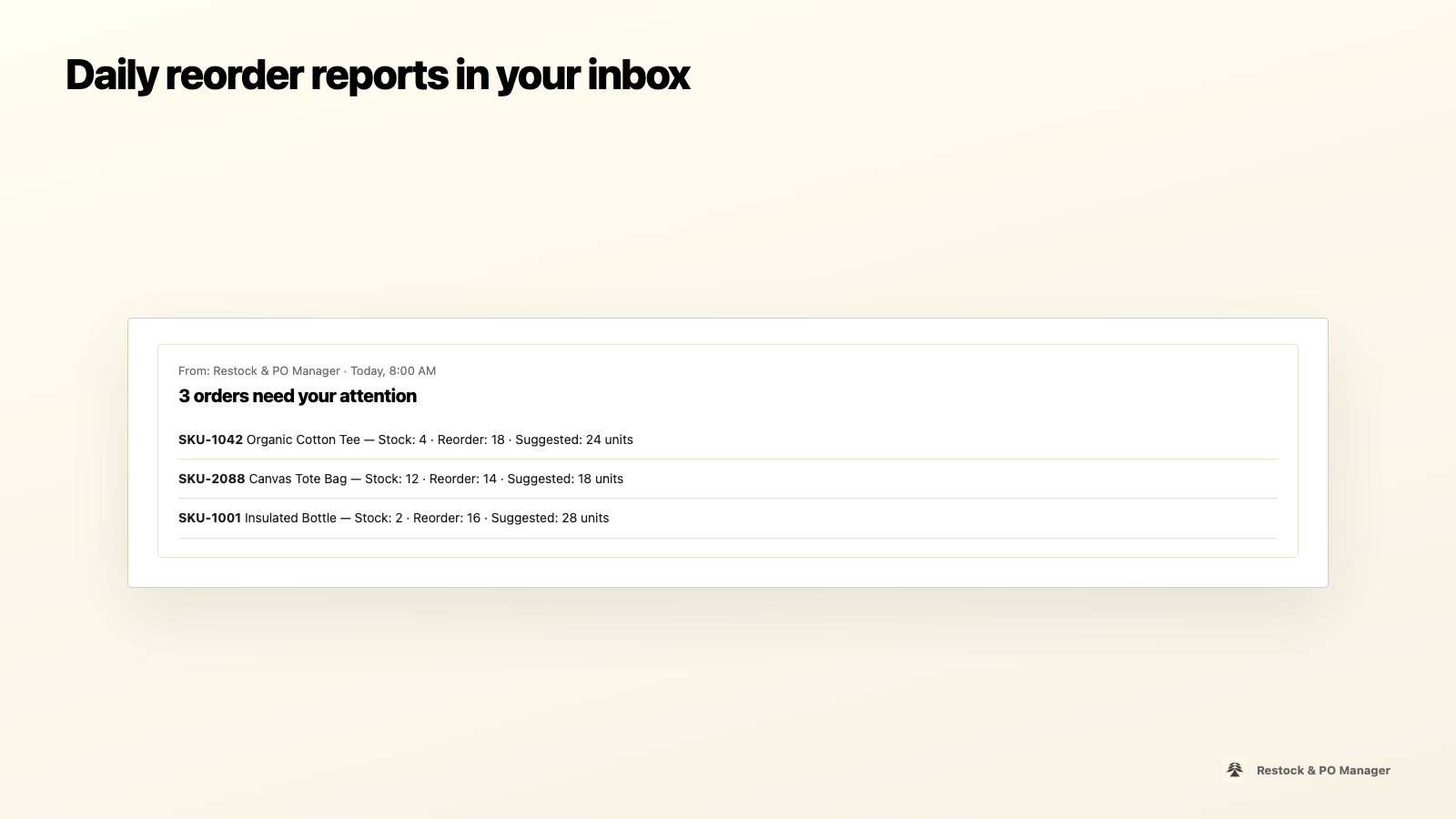
Get a morning summary with suggested order quantities for every critical SKU.
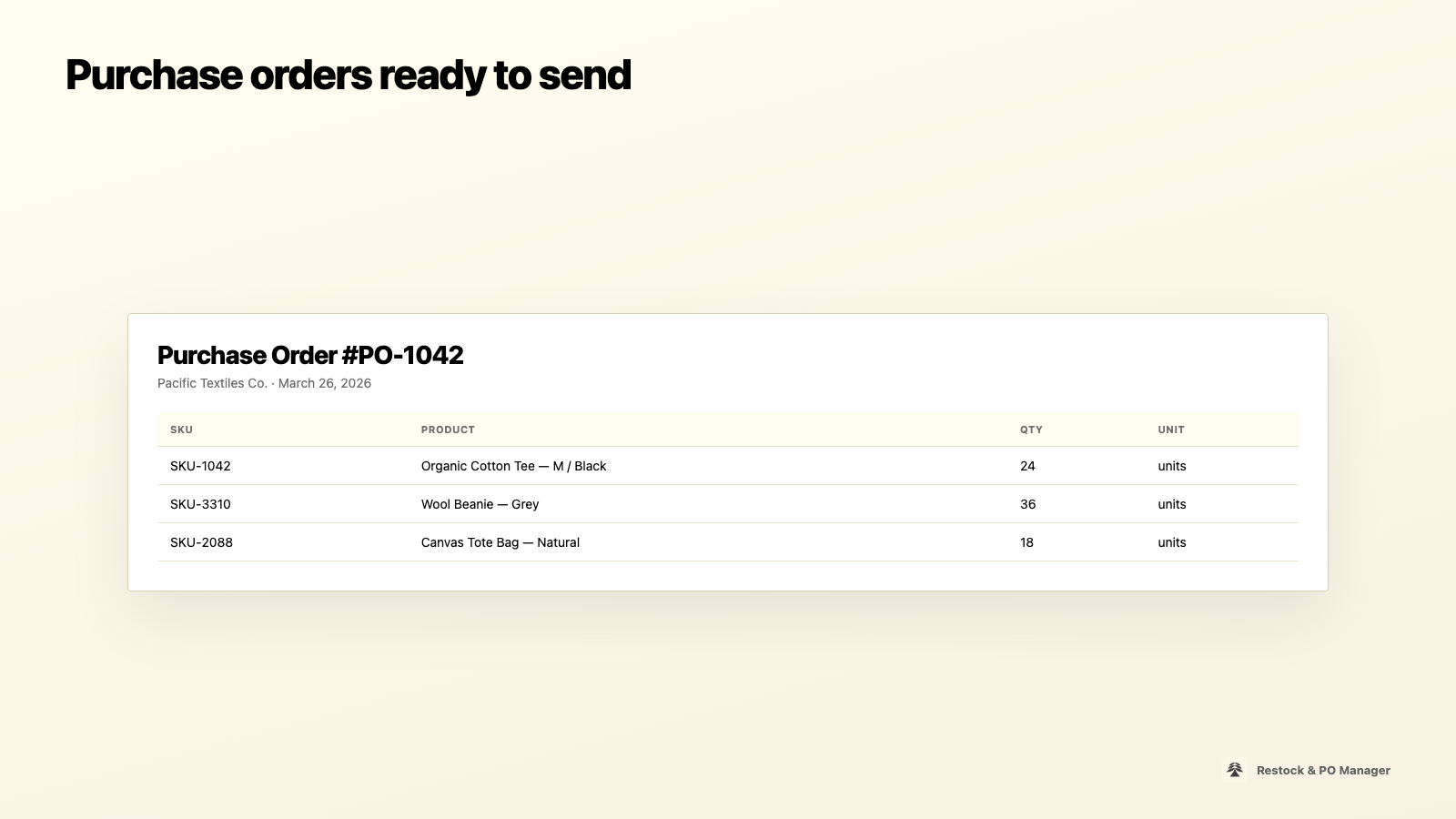
Generate vendor-grouped PO drafts you can print, save as PDF, or email.
Start free on Starter. Paid plans are billed securely through Shopify.
Free
For small boutiques getting started.
$49/mo
For growing stores automating vendor workflows.
$99/mo
For multi-location stores needing full automation.
Most Shopify merchants reorder based on gut feeling or fixed reorder quantities. That leads to overstocking slow movers, understocking bestsellers, and scrambling to place emergency orders when a popular SKU hits zero.
Customers leave when the product they want is out of stock.
Lead times mean you need to order days or weeks before stock runs out.
Tracking hundreds of SKUs across vendors in a spreadsheet doesn't scale.
Built specifically for Shopify merchants who buy from wholesalers and need predictable, data-driven reordering.
Tracks 7-, 14-, 30-, and 90-day sales trends so reorder points reflect real demand — not guesswork.
Get notified before bestsellers run out. See which SKUs are below their reorder point at a glance.
Assign suppliers, set lead times and buffer days per vendor, and override settings per SKU when needed.
Generate print-ready PO documents grouped by vendor — ready to send or save as PDF.
Receive daily action-needed summaries listing every product that needs reordering, with suggested quantities.
Runs entirely on your Shopify data. No third-party AI or video APIs — predictable, zero per-use fees.
From install to your first purchase order — a step-by-step guide for store owners.
Search for Restock & PO Manager, click Install, and approve the requested inventory permissions. Open the app from your Shopify admin sidebar.
On first launch the app pulls products, variants, inventory levels, and recent order history. This usually takes under a minute for most stores.
Go to Vendors and create a supplier for each wholesaler. Enter their email, default lead time in days, and buffer days for safety stock.
Open Inventory Settings, pick a product variant, assign its vendor, and optionally override lead time or safety stock for that SKU.
The dashboard highlights SKUs at or below the reorder point. Reorder point = (sales velocity × lead time) + safety stock.
Enable daily email reports for suggested quantities, then draft purchase orders grouped by vendor — ready to send.
Questions about setup, vendors, billing, or the demo store? Send us a message.
Transparency for merchants and Shopify App Store compliance.
Install Restock & PO Manager on your Shopify store and sync your inventory in minutes.